
WordPress Hacked? What to Do in the First 60 Minutes
A practical first-hour plan to contain the threat, protect visitors, secure access and preserve the recovery options needed for a safe repair.
Updated: August 2, 2026 · Approximate reading time: 14 minutes
Scroll to the response plan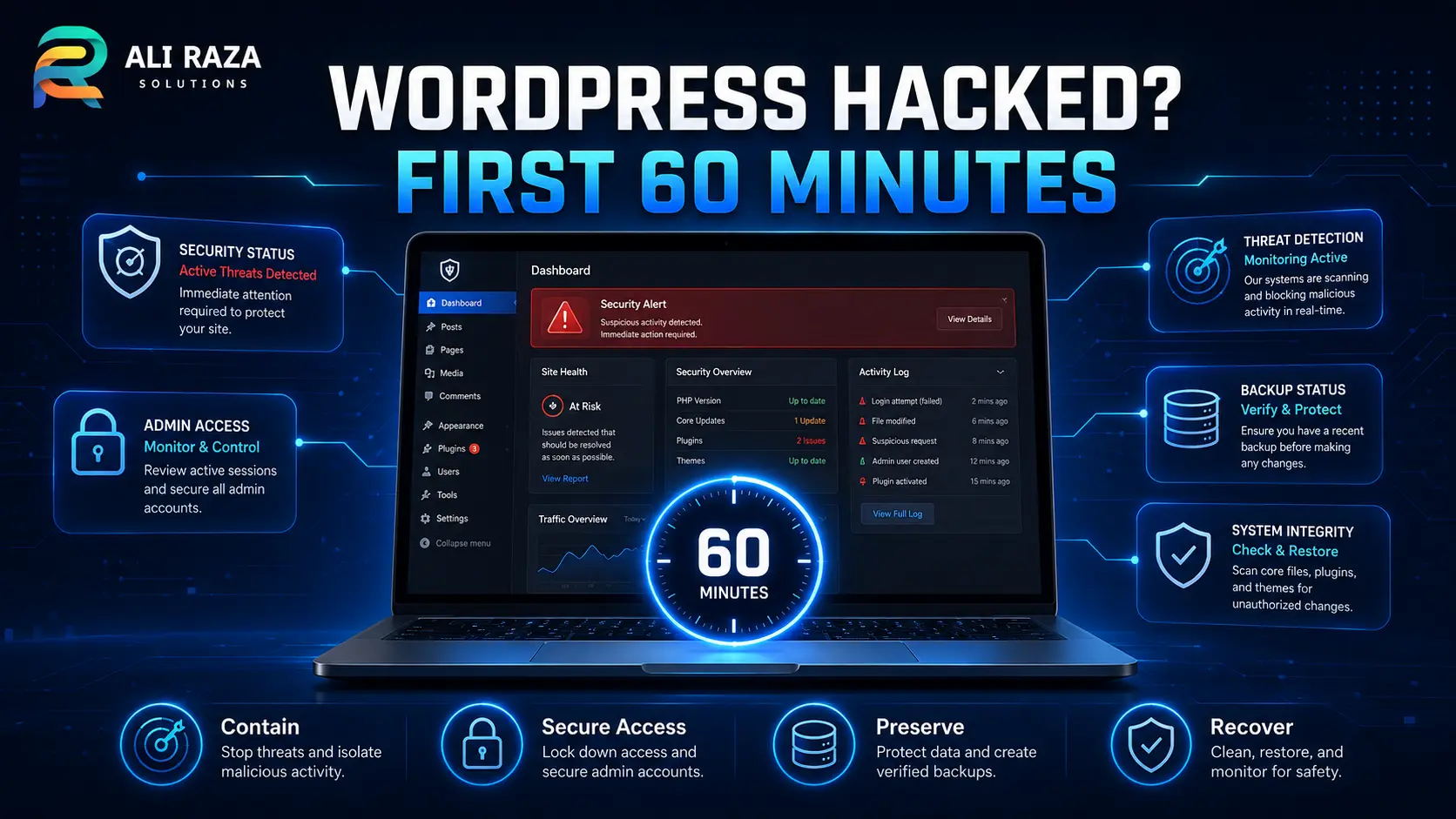
If your WordPress site is hacked, immediately restrict public access, record the symptoms, preserve the current files and database, secure your hosting account, and contact your host or a security professional. Do not start deleting unfamiliar files or restore an unverified backup until you understand the scope of the compromise.
The objective of the first 60 minutes is not necessarily to finish the cleanup. It is to stop the situation getting worse while preserving the information and recovery options needed for a safe repair.
Quick Answer: WordPress Site Is Hacked First-Hour Checklist
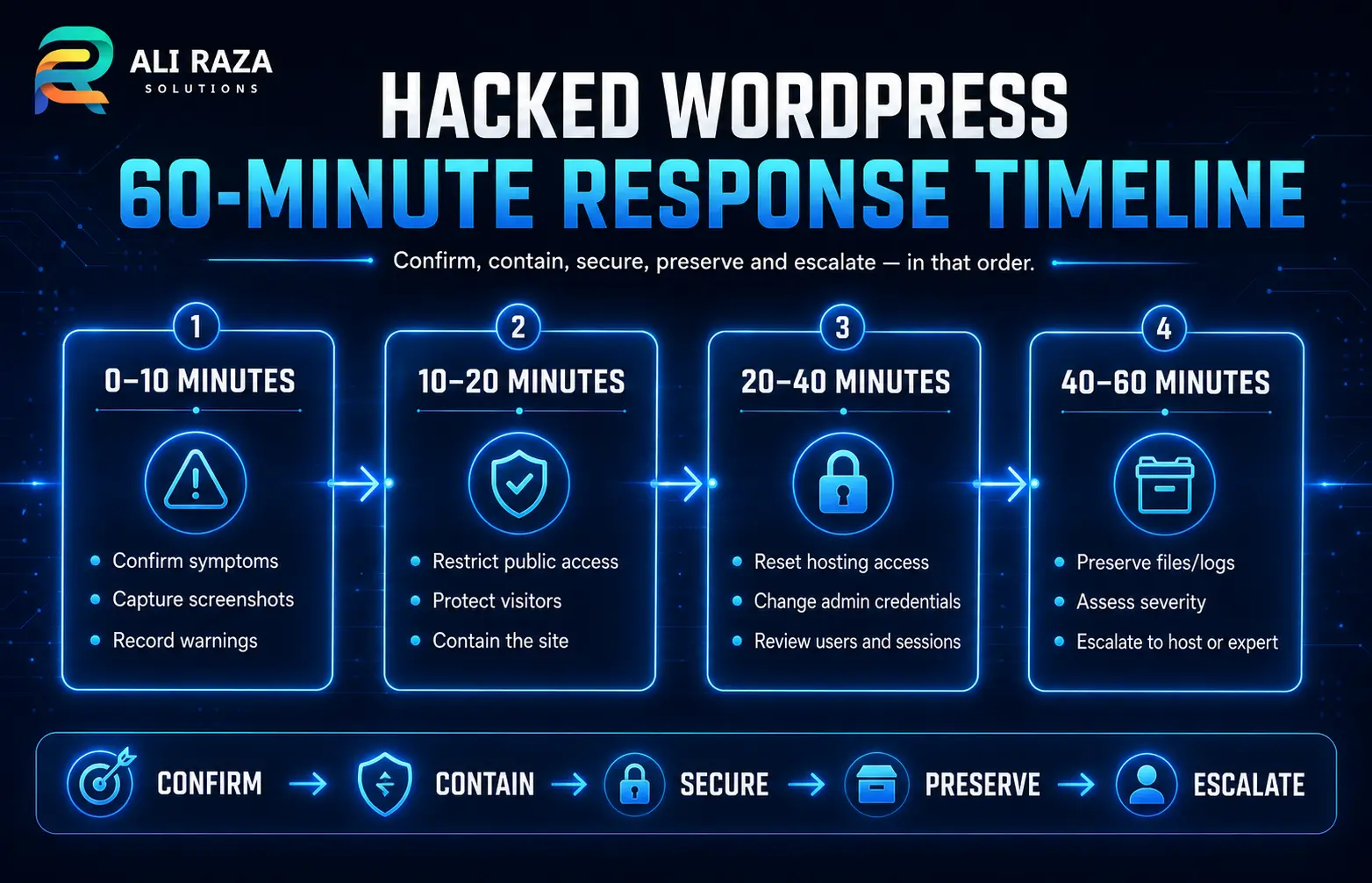
| Time | Priority | Action |
|---|---|---|
| 0–10 minutes | Confirm and record | Capture warnings, redirects, suspicious users, affected pages and recent changes. |
| 10–20 minutes | Contain | Restrict access without destroying the current server state. |
| 20–40 minutes | Secure access | Reset hosting, administrator, SFTP and other critical credentials from a trusted device. |
| 40–50 minutes | Preserve | Save server logs and create a quarantined copy of the files and database. |
| 50–60 minutes | Escalate | Contact the host or a WordPress security professional and prepare an incident summary. |
How to Confirm Your WordPress Website Is Compromised
A broken page does not automatically mean your website has been hacked. Plugin conflicts, expired resources, DNS errors and failed updates can cause symptoms that look alarming without involving an attacker.
However, the following are strong warning signs:
- Visitors are redirected to unrelated or unsafe websites.
- Google displays a security or hacked-site warning.
- Your host has suspended the website for malware or abuse.
- New WordPress administrators appeared without authorization.
- Search results show gambling, pharmaceutical, Japanese-language or other irrelevant pages.
- The homepage or other content has been changed without approval.
- Security software reports malicious downloads or scripts.
- Files or plugins return after you delete them.
- You cannot access an account even though its password was not intentionally changed.
- Unexpected emails are being sent through your domain or website.
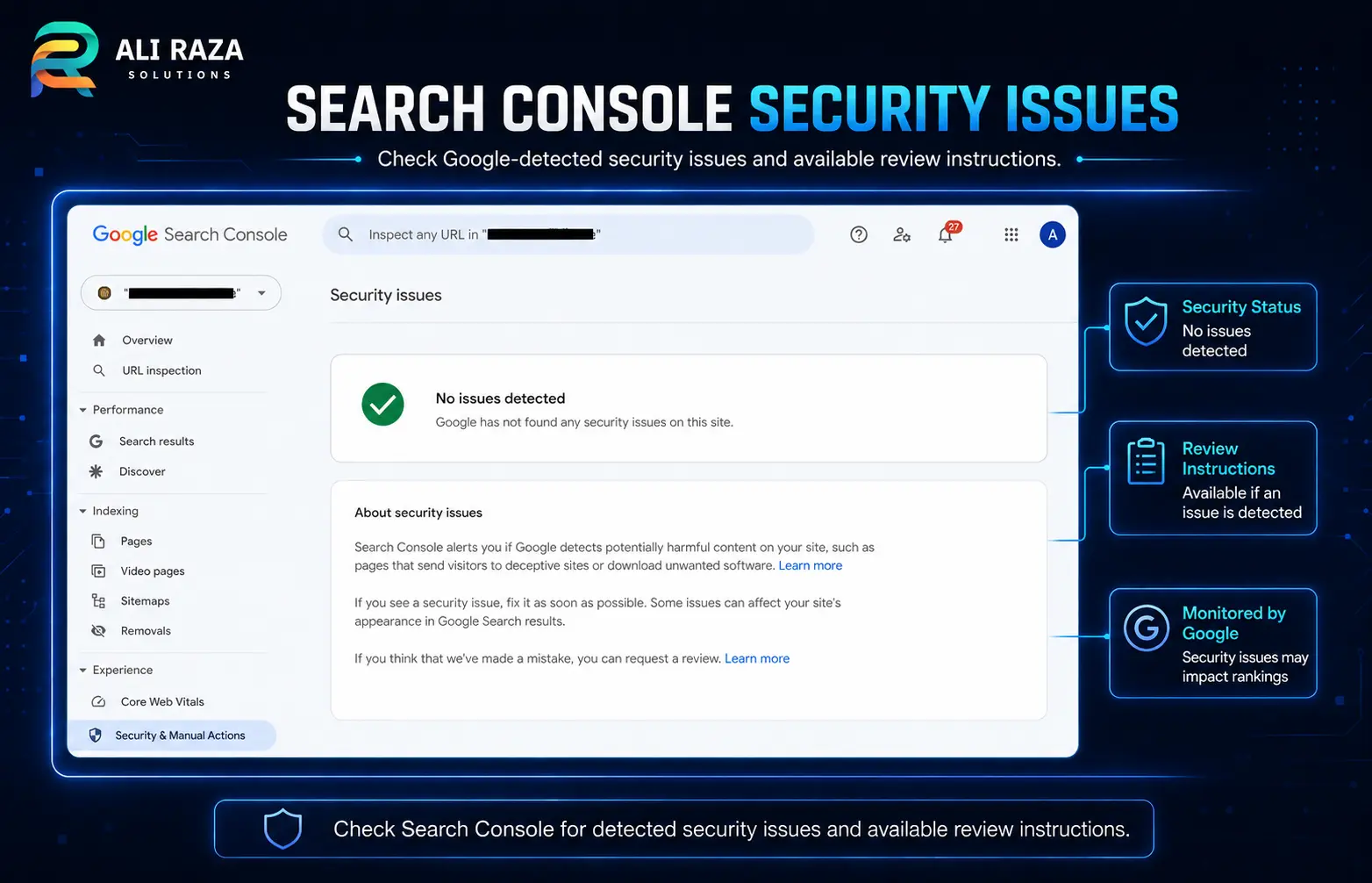
WordPress documentation on hacked sites identifies symptoms such as unauthorized users, visible defacement, host suspension and browser or search-engine warnings. Google also recommends checking Search Console’s Security Issues report.
Record the symptoms before changing anything
Create an incident note containing:
- The exact time you discovered the problem and who reported it
- The affected URL and screenshots of warnings or redirects
- Any suspicious username or email address
- Recent plugin, theme or WordPress updates
- Recent developer or agency access
- Hosting alerts and Search Console messages
- Transactions or form submissions that may be affected
Minutes 0–10: Document the WordPress Security Incident
Your first task is to create a reliable record. Take screenshots of what you can see, but do not explore malicious pages unnecessarily. Copy relevant host and security alerts into the incident note. Record whether the behavior affects every visitor or only certain devices, browsers, locations or referral sources.
Attackers sometimes show malicious content only to search engines, mobile users or first-time visitors. Therefore, “the site looks normal to me” does not prove that it is safe.
WordPress users
Look for unauthorized administrator accounts and record their details.
Hosting alerts
Check malware, resource-usage, suspension and abuse notifications.
Search Console
Review Security Issues and Manual Actions without assuming either report is complete.
Changes and logs
Identify recent installations, edits and account changes, then preserve the available records.
Do not disable logging or clear activity records. They may help identify the initial access point and determine what was changed.
Minutes 10–20: Protect Visitors and Contain the Website
Once the compromise is credible, reduce the risk to visitors.
Choose the safest containment method available
Depending on your hosting environment, you may:
- Ask the host to quarantine or temporarily suspend the affected site.
- Password-protect the website at the server or hosting level.
- Restrict public access by IP address.
- Redirect traffic to a clean, separately hosted status page.
- Use an existing trusted maintenance mechanism.
A normal WordPress maintenance-mode plugin may not be sufficient when WordPress itself is compromised. If the attacker controls the application, the plugin can potentially be bypassed or modified.
For an ecommerce or lead-generation website, containment may interrupt sales and enquiries. Compare that cost with the risk of exposing more visitors, processing orders through altered checkout code or collecting form data on a compromised system.
Do not publish a detailed breach announcement yet
A simple status message is usually enough during the first hour:
This website is temporarily unavailable while we complete urgent maintenance. Please do not submit forms or payment information until service is restored.
Do not claim that customer data was stolen unless an investigation supports that conclusion. Equally, do not assure customers that no information was affected before the scope has been assessed.
Minutes 20–40: Secure Critical WordPress Access
A WordPress compromise may involve more than the administrator account. The attacker may have obtained access through the host, an outdated plugin, an email account, an SFTP password or a reused credential. Use a trusted device and a secure connection for password changes.
Reset access in this order
1. Hosting account
Reset the primary hosting or cloud-platform password first. Enable multi-factor authentication where available. Review authorized users, recovery email addresses, API tokens, SSH keys, recent logins, connected applications, support PINs and delegated access.
2. Domain and DNS account
Confirm that nameservers and DNS records point to expected services, no unknown forwarding or verification records exist, and account recovery details are legitimate.
3. WordPress administrator accounts
Reset every legitimate administrator password. Remove or suspend unfamiliar administrators, but first record their usernames, email addresses and account creation information when available. Removing a rogue administrator does not remove a file or database backdoor that could recreate it.
4. SFTP, SSH and deployment access
Rotate SFTP, SSH, Git deployment and control-panel credentials. Remove keys and accounts that are no longer required. Use SFTP or SSH rather than unencrypted FTP wherever supported.
5. Database credentials
The database password may need to be changed and then updated in wp-config.php. This can break the website if done incorrectly, so coordinate the change with your host or developer.
6. Email and third-party services
Review business email, transactional email, CDN, cloud storage, backup, analytics, Search Console, payment, form and CRM accounts that can reset or modify the website. Attackers may add themselves as verified Search Console owners, so review users and ownership tokens.
Rotate WordPress security salts
Changing the WordPress authentication salts invalidates existing login sessions, which matters when cookies may have been stolen. The salts are stored in wp-config.php. A developer or host should make the change if you are not comfortable editing configuration files safely. Fresh values are available from the official WordPress salt generator.
Minutes 40–50: Preserve Logs, Files and the Database
Before replacing files or restoring a backup, preserve a copy of the affected environment. The compromised copy can help answer how the attacker entered, which files changed, whether customer records were accessed, whether the selected backup predates the intrusion and whether persistence exists outside the obvious infected files.
- Website files and database
- Web-server access and error logs
- Security-plugin and hosting audit logs
- Relevant screenshots, alerts and incident notes
Store the copy outside the public web directory and restrict access to the people handling the incident. This copy is not a clean backup and should never be restored directly to production.
Do not trust a backup based only on its date
A backup created before you noticed the hack may already contain the compromise. Compare backup dates with logs, suspicious account creation dates, unexpected file modifications and the earliest known warning.
A useful backup must be both old enough to predate the intrusion and complete enough to restore the required files, database and configuration.
Minutes 50–60: Assess Severity and Escalate
Use the final part of the hour to decide whether internal recovery is realistic.
| Situation | Severity | Recommended response |
|---|---|---|
| One suspicious file, no confirmed execution and reliable logs available | Moderate | Investigate before declaring a compromise. |
| Malicious redirects or spam pages | High | Contain and perform a complete malware and persistence review. |
| Unauthorized administrator account | High | Rotate credentials and inspect files, database, sessions and logs. |
| Host suspension or confirmed malware distribution | High | Keep the site isolated and coordinate with the host. |
| WooCommerce checkout or payment code affected | Critical | Stop transactions and involve qualified security and payment professionals. |
| Personal or customer data may have been accessed | Critical | Preserve evidence and seek security and appropriate legal guidance. |
| Several websites on one hosting account are affected | Critical | Treat the hosting account or server as potentially compromised. |
| Malware returns after deletion | Critical | Assume a hidden backdoor or unresolved entry point. |
Information to send your host or security professional
- Domain, hosting provider and time the incident was discovered
- Known symptoms, affected URLs and whether the site is isolated
- Whether WordPress administrator access still works
- Recent updates or deployments and available backup dates
- Relevant hosting or Search Console warnings
- Whether the site processes payments or personal information
- Actions already taken and people who currently have access
A precise report reduces duplicated work and helps the responder prioritize containment.
Actions to Avoid When Your WordPress Site Is Hacked
Do not delete random files
Deleting unfamiliar files without identifying persistence can destabilize the site while leaving the original access route open.
Do not install several scanners
Multiple plugins can increase server load, conflict with each other and change evidence on an already compromised application.
Do not update before preserving
Updates matter, but bulk changes can overwrite timestamps and make investigation harder. Preserve the affected state first when feasible.
Do not restore blindly
The newest backup may contain the same malware, rogue user or vulnerable extension. Validate it before using it as a recovery source.
Do not change one password
The attacker may still control hosting, SFTP, email, database access, API keys or an active session.
Do not trust a vanished symptom
A redirect can disappear while a backdoor remains. Recovery must remove malicious code, close the entry point and verify the result.
DIY Recovery or Professional WordPress Malware Removal?
| Question | DIY may be reasonable | Professional help is safer |
|---|---|---|
| Can you safely use hosting, SFTP and database tools? | Yes | No |
| Do you have complete, verified backups? | Yes | No or uncertain |
| Can you inspect server and activity logs? | Yes | No |
| Does the site collect customer or payment information? | No | Yes |
| Are several sites or accounts affected? | No | Yes |
| Does malware return after deletion? | No | Yes |
| Can you identify and patch the original weakness? | Yes | No |
| Has the host suspended the account? | No | Yes |
| Are Google warnings or spam pages involved? | Limited | Usually yes |
| Could contractual or regulatory duties apply? | Unlikely | Possible or confirmed |
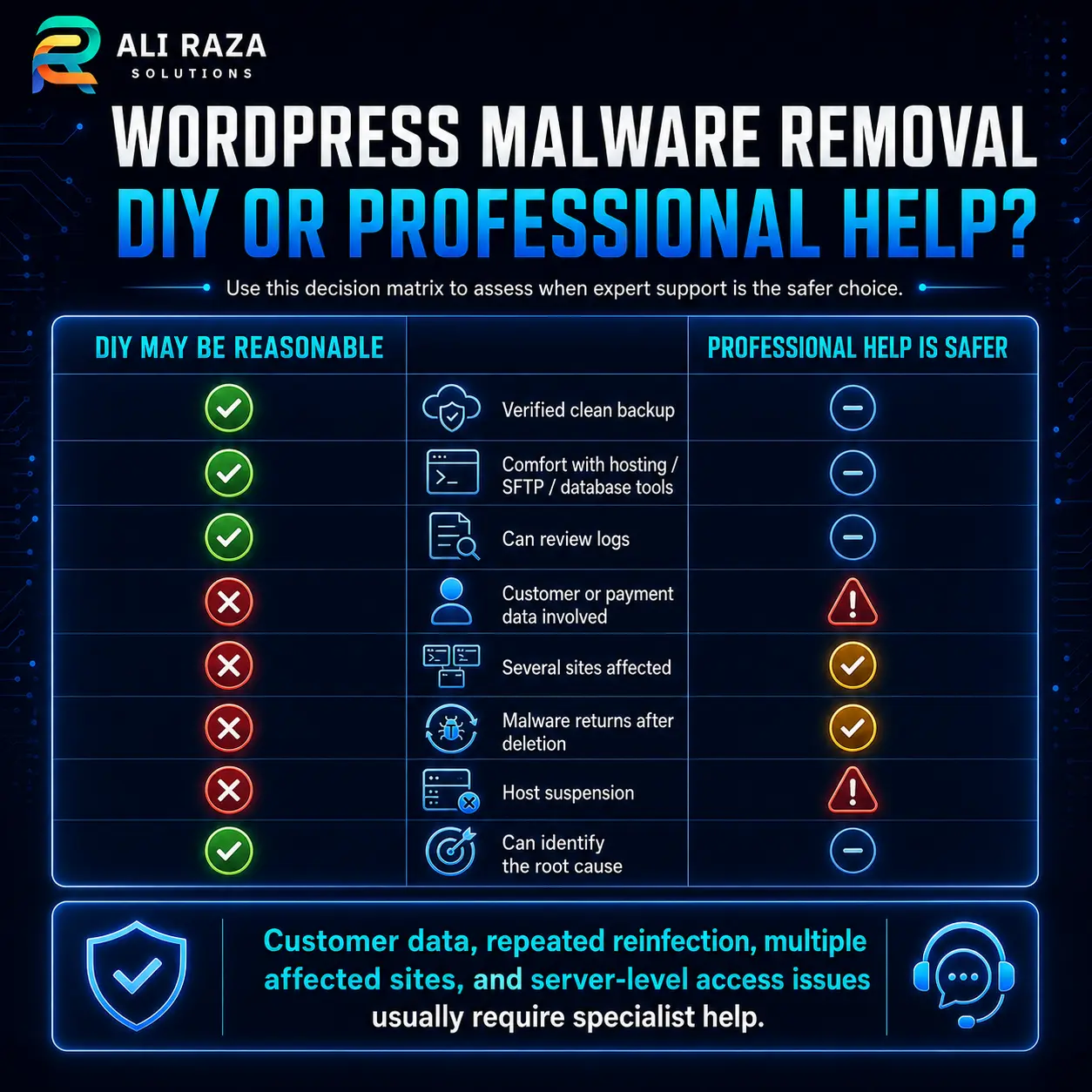
Professional help is appropriate when the website handles orders, customer accounts, confidential submissions or business-critical lead generation. It is also safer when access has spread beyond WordPress or when no clean recovery point is available.
Ali Raza Solutions’ website maintenance services can support compromise assessment, malware removal, vulnerability patching and repair verification before handover.
What Happens After the First 60 Minutes?
Containment is only the beginning. A complete recovery normally includes the following phases.
Determine the scope
Inspect the filesystem, database, users, scheduled tasks, server configuration and logs. Check other sites sharing the account.
Identify the entry point
Investigate vulnerable extensions, stolen credentials, abandoned accounts, unsafe permissions and compromised third parties.
Rebuild or clean
Use trusted copies of WordPress core, plugins and themes. A complex incident may justify rebuilding in a clean environment.
Patch and harden
Update supported components, remove unused extensions, reduce administrator access, add MFA, monitoring and reliable backups.
Test before reopening
Verify pages, admin access, forms, checkout, email, scheduled tasks, mobile layout, redirects, certificates and file integrity.
Monitor for reinfection
Watch file changes, new users, failed logins, outbound email, resource usage, search results and Search Console messages.
Resolve Google security warnings
Check Search Console’s Security Issues and Manual Actions reports. Once the harmful content and security weakness have been addressed, follow Google’s security review guidance. Do not request a review merely because the visible symptoms disappeared.
Document the root cause, affected systems, completed actions and future controls.
Frequently Asked Questions About a Hacked WordPress Site
These answers cover the most important questions site owners ask during containment and recovery.
What is the first thing I should do when my WordPress site is hacked?
Record the symptoms and contain public access without immediately deleting files. Then secure the hosting account and preserve logs, files and the database for investigation.
Should I take a hacked WordPress website offline?
Restricting public access is normally appropriate when the site redirects visitors, distributes malware, displays unauthorized content or may expose submitted information. Use hosting-level containment where possible.
Will changing my WordPress password remove the hack?
No. A password reset can remove one access route, but it does not delete malicious files, close a vulnerable plugin or remove access through hosting, SFTP, email or the database.
Can I restore my latest backup?
Only after checking that it predates the intrusion and is complete. A recent backup can contain the same malware or unauthorized account.
Can a security plugin completely clean a hacked website?
A scanner can identify or remove some known malware, but it may not establish the root cause or find every form of persistence. Verify the result at filesystem, database, account and server levels.
Why does the malicious redirect only affect some visitors?
Attackers may condition redirects on device type, referral source, location, browser cookies or whether the visitor is logged in. Intermittent behavior does not prove the issue has resolved.
When should I contact a professional?
Seek professional assistance when customer or payment data may be affected, several sites are compromised, malware returns, the host has suspended the account, no verified backup exists or you cannot confidently inspect the server and database.
How do I remove a hacked-site warning from Google?
Clean the website, close the vulnerability, check Search Console’s Security Issues and Manual Actions reports, and follow the review process shown there. Continue monitoring after the warning is removed.

About Ali Raza Solutions
Ali Raza Solutions provides WordPress development, website maintenance, SEO and digital services for businesses in the United States and international markets.
This guide provides general technical information. A website involving sensitive information, payments or possible legal notification requirements should be assessed by appropriately qualified security and legal professionals.