
Elementor vs Gutenberg vs Bricks
A practical comparison of design workflow, performance, dynamic content, maintenance and long-term flexibility—so you can choose the right WordPress builder for the site you are actually creating.
Published: August 5, 2026 · Approximate reading time: 15 minutes
See the quick verdict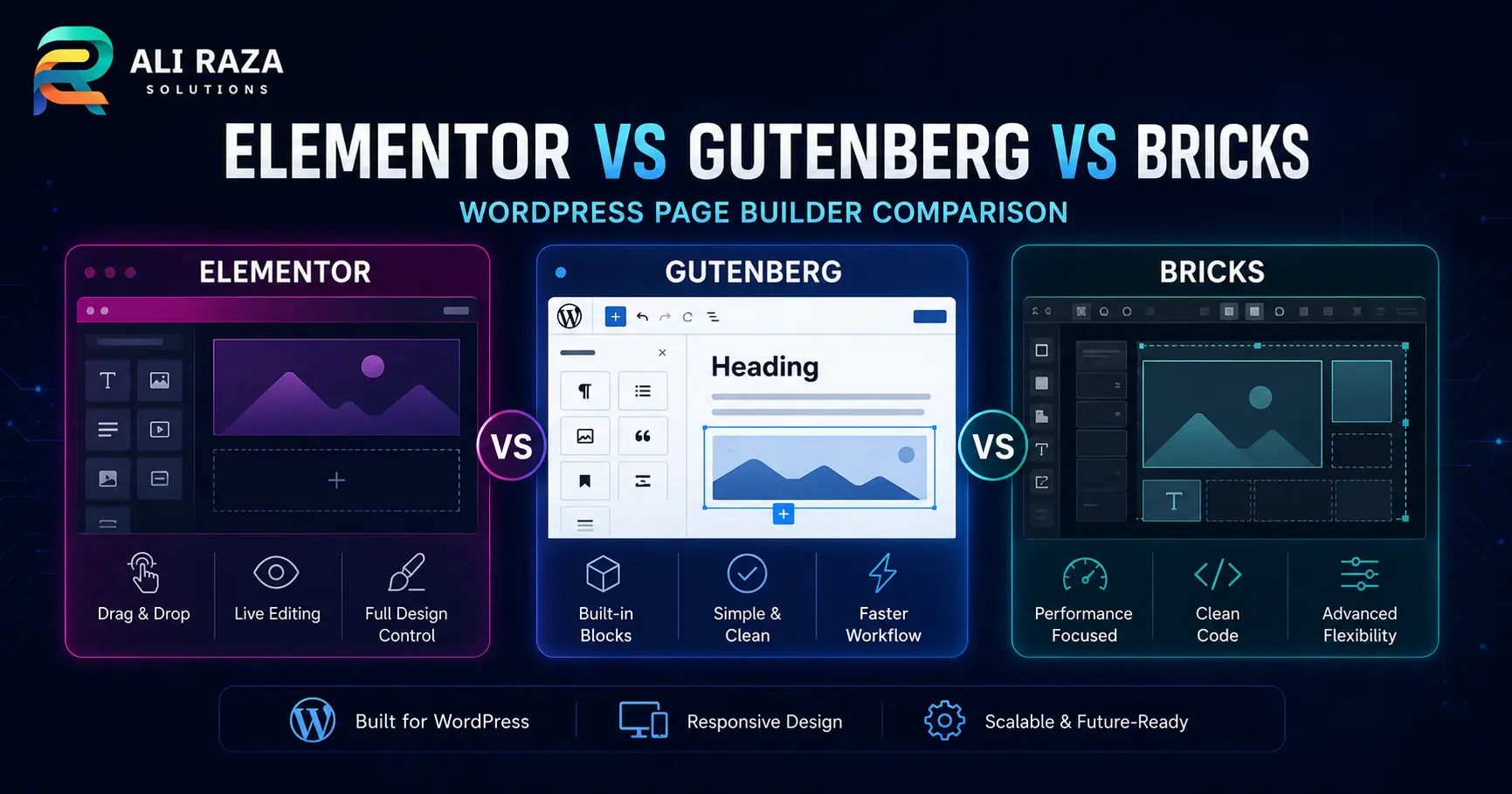
Elementor is usually the best fit for visual no-code building and a large extension ecosystem. Gutenberg is the strongest default for native WordPress publishing, low platform overhead and long-term portability. Bricks is often the better choice for developers and technically confident agencies that want a visual workflow with reusable classes, dynamic data and deeper structural control.
That is the direct answer, but it is not the whole answer. The best choice in an Elementor vs Gutenberg vs Bricks comparison depends on who will maintain the site, how custom the design must be, whether dynamic templates are required, and how much technical discipline the project can support.
A simple five-page business website, a content-heavy publication and a custom directory may all need different builders. This guide compares the three systems without pretending that one tool wins every category.
Quick Verdict: Elementor vs Gutenberg vs Bricks
| Decision factor | Elementor | Gutenberg | Bricks |
|---|---|---|---|
| Best for | Visual building, marketers, freelancers and fast client delivery | Native publishing, blogs, lean business sites and editorial teams | Developers, agencies, dynamic sites and design systems |
| WordPress role | Site-builder plugin that works with a theme | Core block editor; full-site control requires a block theme | Visual site-builder theme |
| Learning curve | Easy to start; complexity grows with responsive and global systems | Easy for content; advanced layout work depends on the theme and block stack | More technical at first; efficient once classes and structure are understood |
| Design freedom | High, with a broad widget and template ecosystem | Moderate to high with a capable block theme and patterns | High, especially for structured custom layouts |
| Performance potential | Good when the widget stack, assets and add-ons are controlled | Excellent starting point because the editor is native to WordPress | Excellent when semantic structure and reusable classes are used well |
| Dynamic content | Strong with Pro features and compatible custom-field tools | Improving through core blocks, Query Loop and plugins | Strong built-in visual workflow for dynamic data and query loops |
| Budget model | Free entry level; advanced site-building normally uses a paid plan | Included with WordPress; premium themes or block plugins are optional | Paid theme license |
Choose Gutenberg when content, maintainability and a native WordPress foundation matter most. Choose Elementor when non-technical visual production and ecosystem depth are priorities. Choose Bricks when the builder will be managed by a technical team that values classes, templates and dynamic data.
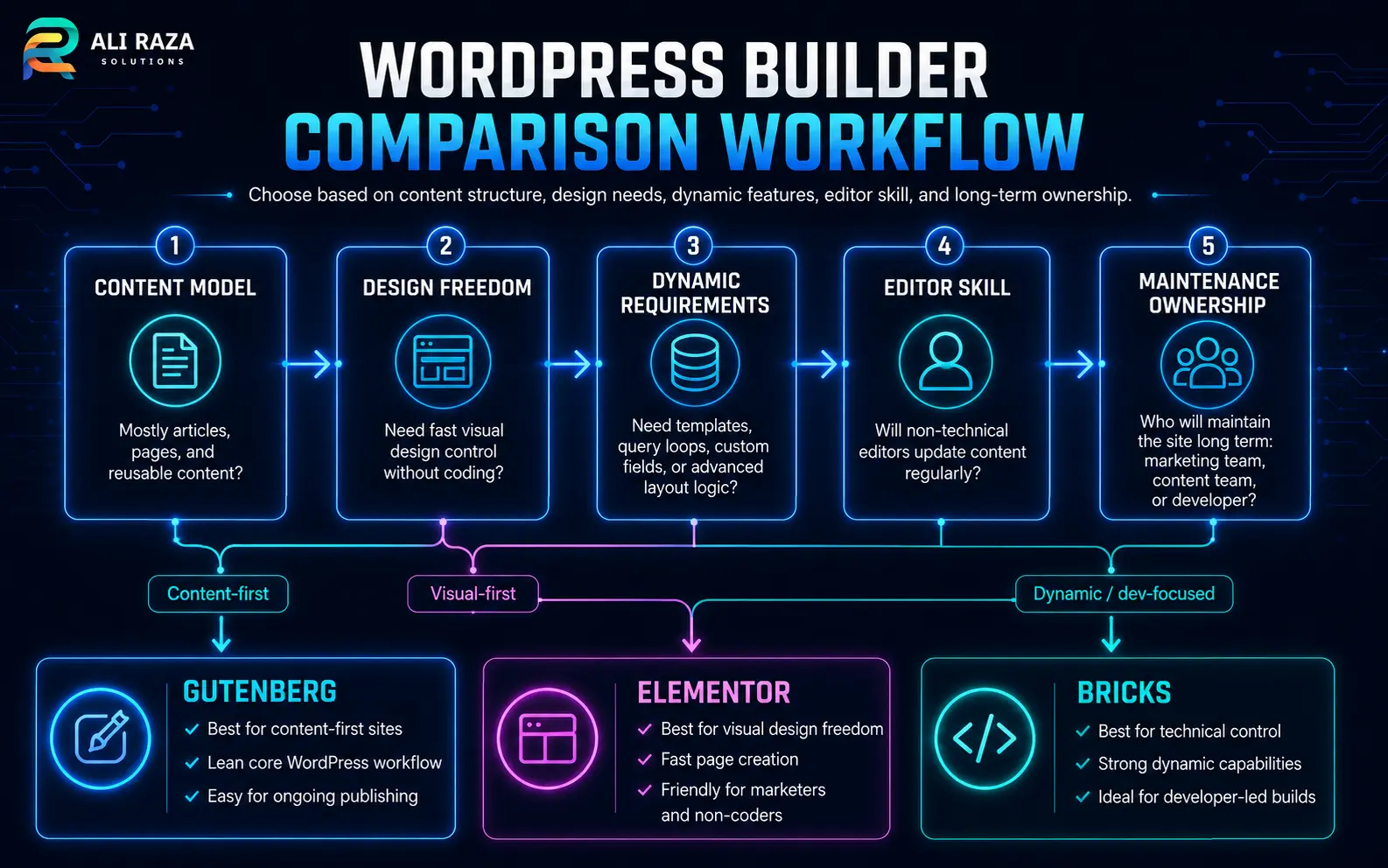
How Elementor, Gutenberg and Bricks Actually Differ
The three tools can all produce professional WordPress websites, but they sit in different parts of the platform.
A plugin-led visual site builder
Elementor adds a drag-and-drop design environment to WordPress. Its free version covers common page-building needs, while advanced templates, forms, popups, dynamic content and broader site-building tools are generally associated with paid features.
It works with a WordPress theme, although many Elementor projects use a minimal theme so the builder controls more of the visible design.
The native WordPress block system
Gutenberg is the common name for the WordPress block editor. It uses blocks for paragraphs, images, buttons, columns, queries and other content. With a block theme, the Site Editor extends this model to headers, footers, templates and global styles.
The experience depends heavily on the selected theme, patterns and any block plugins added to the site.
A visual builder delivered as a theme
Bricks installs as a WordPress theme and provides a visual environment for pages, templates, global classes, responsive layouts, dynamic data and query loops.
Its workflow feels closer to front-end development concepts than a typical beginner page builder, which is valuable for structured builds but can raise the learning curve.
Builder choice affects the whole operating model
You are not only choosing an editor. You are choosing how layouts are stored, how global styles are managed, who can safely edit pages, which extensions become dependencies, and how difficult a future redesign may be.
Official documentation describes Elementor as a WordPress site builder, WordPress as a block-based publishing and site-editing system, and Bricks as a visual site builder with templates, responsive layouts and real WordPress content. Review the Elementor overview, the WordPress Site Editor documentation and the Bricks getting-started guide for product-specific details.
WordPress Performance: Which Builder Is Fastest?
There is no honest universal speed winner without testing the actual site. Hosting, theme code, fonts, analytics, plugins, image weight, caching, third-party scripts and the quality of the build can matter more than the builder name.
However, the starting architecture does influence how easy it is to keep a site lean.
Gutenberg starts closest to WordPress core
A carefully built block site can use fewer builder-specific layers. That gives Gutenberg a strong performance baseline, especially for publishing-focused sites.
The advantage can disappear when several block libraries, animation plugins and overlapping design systems are installed.
Bricks rewards structured implementation
Bricks gives technical users direct control over layout elements, classes and reusable styles. A disciplined build can remain compact and consistent.
Poor nesting, excessive interactions, large libraries and unoptimized media can still make a Bricks site slow.
Elementor needs asset discipline
Elementor can perform well, but feature-rich pages, third-party widget packs and inconsistent responsive overrides add weight quickly. Containers, global settings, limited add-ons and careful asset choices help.
The biggest risk is often not Elementor alone; it is Elementor plus several overlapping extension packs.
Measure templates, not marketing claims
Test representative pages: the homepage, a long article, a service page, an archive, a form page and any WooCommerce template. Compare mobile Core Web Vitals, request count, JavaScript work and visual stability.
A better performance checklist
- Use modern image formats and correct dimensions.
- Load only the font families and weights the design needs.
- Avoid duplicate slider, form, icon and animation systems.
- Use global classes or styles instead of repeating one-off rules.
- Limit third-party scripts and delay non-essential tools.
- Test logged-out pages on mobile, not only the desktop editor.
- Maintain WordPress core, themes, plugins and server software.
For ongoing optimization, updates and compatibility checks, see Ali Raza Solutions’ website maintenance services.
Design Workflow and Learning Curve
The fastest editor is the one your team can use consistently without breaking the design system.
Elementor: fastest visual start for many users
Elementor makes the relationship between a control and the visible page easy to understand. Widgets, drag-and-drop placement, responsive previews, templates and a broad tutorial ecosystem reduce the initial barrier.
The challenge comes later. Sites can become difficult to maintain when every page uses local spacing, colors and typography instead of global rules. An Elementor project still needs a defined container width, spacing scale, responsive strategy and reusable template system.
Gutenberg: strongest content-first workflow
For articles, documentation and routine page updates, Gutenberg keeps editing close to WordPress itself. Writers can work with headings, paragraphs, images, lists and reusable patterns without entering a separate builder interface.
Advanced visual design can be less predictable because the available controls depend on the active block theme and installed blocks. A good Gutenberg implementation usually relies on a curated theme, a small approved block set and well-designed patterns.
Bricks: a visual interface with development concepts
Bricks becomes efficient when the user understands HTML structure, CSS classes, flexbox, grid, responsive breakpoints and reusable components. That makes it attractive to developers and agencies that want visual speed without abandoning structured front-end thinking.
For a client who only needs to edit text and images, the full builder may expose more control than necessary. A safer handover uses locked templates, clear edit zones and documented components.
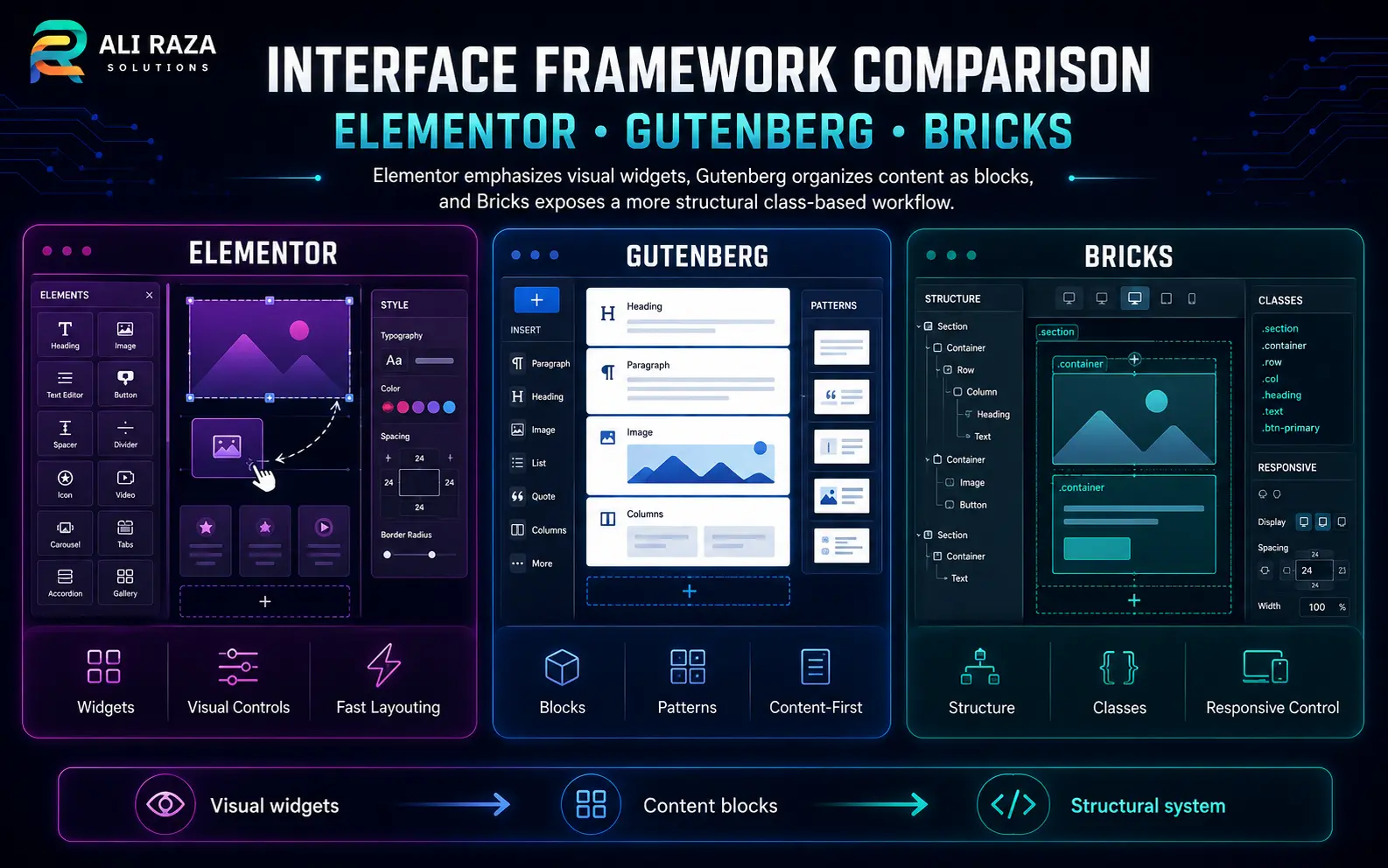
Dynamic Content, Templates and Complex WordPress Builds
Dynamic content means the layout pulls information from WordPress rather than requiring every page to be designed manually. Examples include service directories, team profiles, property listings, case studies, product archives and resource libraries.
| Capability | Elementor | Gutenberg | Bricks |
|---|---|---|---|
| Header and footer templates | Available through Theme Builder features | Native in the Site Editor when using a block theme | Built into the template system |
| Single and archive templates | Strong visual workflow | Supported through block templates and theme blocks | Strong visual workflow with conditions |
| Query-based listings | Loop and dynamic tools depending on plan and setup | Core Query Loop plus optional block extensions | Visual Query Loop and dynamic data tools |
| Custom fields | Commonly integrated with supported field plugins | Usually needs development work or a compatible block solution | Designed for dynamic data and custom-field workflows |
| Conditional display | Available through product features or add-ons, depending on need | Varies by blocks, theme and custom development | Strong builder-level conditions |
Elementor is suitable when a team wants to build custom templates visually and benefit from a large ecosystem. Bricks is attractive when dynamic data and query logic are central to the project and the implementer is technically confident. Gutenberg works well when the content model aligns with core blocks and templates, but specialized applications may need custom blocks or carefully selected plugins.
For a directory, membership portal or large content library, define post types, taxonomies, fields, permissions and URL structure before choosing the page builder. The content model should not be an afterthought.
Content Editing, Client Handover and Team Safety
A builder that feels powerful during development may feel risky during everyday editing. The handover model should match the client’s real responsibilities.
For writers and editors
Gutenberg is usually the most natural option because the page content is edited in the same block system used for WordPress publishing. Patterns can provide branded layouts without requiring the writer to manage the entire template.
For marketing teams
Elementor often gives marketers the clearest path to adjusting landing pages, visual sections and calls to action. Governance is still needed to prevent inconsistent layouts.
For technical agencies
Bricks supports a reusable, system-oriented workflow. Global classes, templates and components can make multi-page changes efficient when the build is planned well.
For mixed teams
A hybrid approach may be best. Use the builder for templates and controlled landing pages, then use Gutenberg for standard article content. Test the exact integration before committing.
Handover controls that matter
- Create a style guide with approved colors, typography, spacing and button rules.
- Define which users may edit templates, pages, posts and global settings.
- Use reusable patterns, classes or components instead of copied sections.
- Record the plugin, theme and license dependencies.
- Provide a staging environment for structural changes.
- Train editors on image dimensions, heading hierarchy and internal links.
Cost, Licensing and Ongoing Maintenance
The lowest purchase price does not always create the lowest lifetime cost. Include setup time, premium extensions, training, updates, performance work and future redesigns.
| Cost area | Elementor | Gutenberg | Bricks |
|---|---|---|---|
| Core access | Free plugin available | Included in WordPress | Paid theme license |
| Advanced site building | Usually involves a paid plan | May require a premium block theme, block library or custom development | Many advanced builder tools are included, with optional third-party add-ons |
| Maintenance exposure | Builder, theme and any add-on packs must remain compatible | Theme and block plugins must remain compatible with WordPress core | Theme-builder updates and extensions must be tested |
| Training cost | Low to moderate for basic visual editing | Low for content; moderate for full-site design | Moderate to high for non-technical users |
Licensing and product bundles can change. Confirm current terms on the vendor’s official website before purchase. More importantly, count the number of third-party systems needed to deliver forms, popups, dynamic fields, filters, animations and ecommerce features.
A well-designed Gutenberg site can become expensive if it relies on several premium block suites. An Elementor site can become expensive if multiple add-on packs are required. A Bricks build can become expensive when the project needs custom development that the client cannot maintain internally.
Migration, Portability and Builder Lock-In
Any design system creates some migration cost. The relevant question is what remains usable when the builder or theme changes.
Gutenberg portability
Because Gutenberg is part of WordPress, standard content blocks have the strongest native continuity. Changing themes can still alter spacing, templates and styles, and third-party blocks may stop rendering correctly if their plugin is removed.
Elementor portability
Elementor layouts depend on the Elementor plugin and its stored design data. Disabling the builder removes the intended presentation, and a migration to another system usually requires rebuilding templates and pages. Plan exports and content recovery before making changes to a live site.
Bricks portability
Bricks is installed as a theme, so switching away from it changes the active site-building system. Bricks templates, styles and builder layouts should be treated as a managed dependency. A future move to another theme or builder normally requires a controlled rebuild.
Before redesigning an existing site, an experienced WordPress development team should inventory templates, shortcodes, custom fields, forms, tracking scripts, SEO metadata and reusable content.
Best Use Cases for Each WordPress Builder
Visual marketing sites
Strong for small-business websites, campaign landing pages and teams that want broad visual controls without working directly with CSS.
Content-led websites
Strong for blogs, publications, documentation, lean service sites and organizations that value native editing and long-term simplicity.
Structured custom builds
Strong for agency systems, dynamic directories, custom post-type websites and technical teams that want reusable classes and query control.
Common project recommendations
| Project | Likely starting choice | Why |
|---|---|---|
| Personal blog or editorial site | Gutenberg | Native publishing, clean handover and fewer builder dependencies |
| Small-business brochure site | Gutenberg or Elementor | Choose Gutenberg for simplicity; Elementor for faster visual customization |
| Campaign landing pages managed by marketing | Elementor | Accessible visual workflow and reusable marketing sections |
| Custom directory or listing site | Bricks or a custom block build | Dynamic templates, queries and structured content are central |
| Agency design system across many pages | Bricks | Class-based styling and reusable templates support consistency |
| Large editorial team with controlled layouts | Gutenberg | Patterns and block permissions can separate content editing from template design |
| Existing mature Elementor website | Keep and optimize Elementor unless a rebuild has a clear business case | A builder migration can cost more than improving the current implementation |
A Practical Builder Decision Framework
Score the project before selecting the tool. The meters below are directional, not laboratory benchmarks or product ratings.
Elementor profile
Gutenberg profile
Bricks profile
Questions that decide the result
- Who edits the site every week?
- Does the site need custom post types or query-driven templates?
- Will the team use global styles consistently?
- How many third-party add-ons are required?
- What is the migration plan in three to five years?
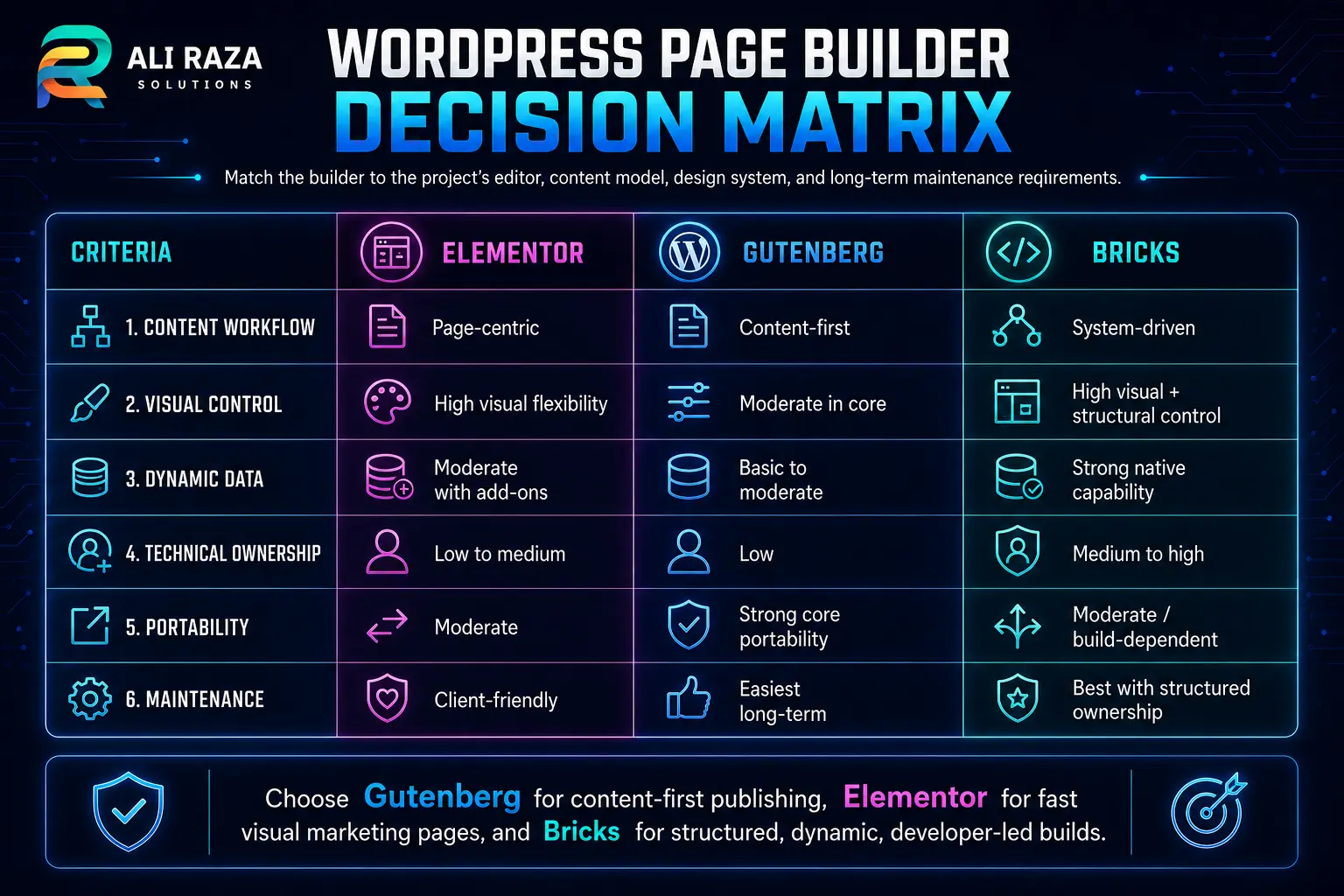
For most content-first WordPress sites, start with Gutenberg. Move to Elementor when the team needs a more accessible visual marketing workflow. Choose Bricks when the site requires advanced templates and dynamic data, and a technical team will own the build.
Implementation Checklist Before You Commit
Prototype one real page
Build the same service or landing page with the shortlisted system. Include the real header, form, mobile layout, icons and typography.
Prototype one dynamic template
Test an archive, team profile, case study or product layout. Confirm fields, query logic, empty states and pagination.
Run a mobile performance test
Use optimized but realistic images and scripts. Check loading, interaction and layout stability on a production-like server.
Test the editor handover
Ask the future editor to change text, replace an image, duplicate a section and publish a post without assistance.
Document dependencies
List the theme, builder, add-ons, custom code, field plugins, licenses, renewal dates and backup process.
Define governance
Set global styles, naming conventions, reusable components, user permissions and a staging-to-production workflow.
A builder decision is easier when it is part of a complete website plan. Ali Raza Solutions provides professional WordPress development for custom business websites and can also align site structure with technical and content SEO requirements.
Frequently Asked Questions
Straight answers to common questions about Elementor, Gutenberg and Bricks Builder.
Which is better: Elementor, Gutenberg or Bricks?
Gutenberg is usually best for native content-first sites, Elementor for accessible visual no-code building, and Bricks for technical teams creating structured or dynamic websites. The right choice depends on the project and maintenance team.
Is Gutenberg faster than Elementor?
Gutenberg often starts with less builder-specific overhead because it is part of WordPress core. A well-optimized Elementor site can still be fast, while a Gutenberg site can become slow through heavy themes, block plugins, images and third-party scripts.
Is Bricks Builder faster than Elementor?
Bricks can produce a lean result when a developer uses clean structure, reusable classes and limited scripts. Elementor can also perform well when containers, global styles and add-ons are controlled. Test the completed templates rather than relying on a blank-page benchmark.
Can Gutenberg replace a page builder?
Yes, especially for blogs, publications and business sites using a capable block theme and reusable patterns. Complex dynamic applications may still require custom blocks, development work or a more specialized builder.
Is Bricks Builder a plugin or a theme?
Bricks is installed as a WordPress theme. Its visual builder then controls pages, templates, styles and dynamic layouts within that theme-based system.
Which builder is easiest for clients to edit?
Gutenberg is often easiest for routine article and page content, while Elementor is approachable for visual landing-page changes. Bricks is better suited to trained users unless the developer creates restricted, clearly documented edit areas.
Can I use Elementor and Gutenberg together?
Yes. A common approach is to use Elementor for selected landing pages or templates and Gutenberg for standard posts. Keep responsibilities clear and avoid stacking multiple builders on the same page.
Which WordPress builder is best for SEO?
No builder guarantees rankings. SEO depends on content quality, crawlability, site structure, internal links, metadata, performance and maintenance. Gutenberg offers a lean native foundation, while Elementor and Bricks can also support strong SEO when implemented correctly.

About Ali Raza Solutions
Ali Raza Solutions provides WordPress development, website maintenance, SEO and digital services for businesses in the United States, United Kingdom and international markets.