WP Engine vs Kinsta vs Cloudways: Which Hosting Platform Fits Your WordPress Site?
Compare the three platforms by management model, developer workflow, performance tooling, scaling, backups, support, and cost structure—without relying on one-size-fits-all benchmark claims.
Published: August 16, 2026 · Approximate reading time: 11 minutes
Jump to the comparison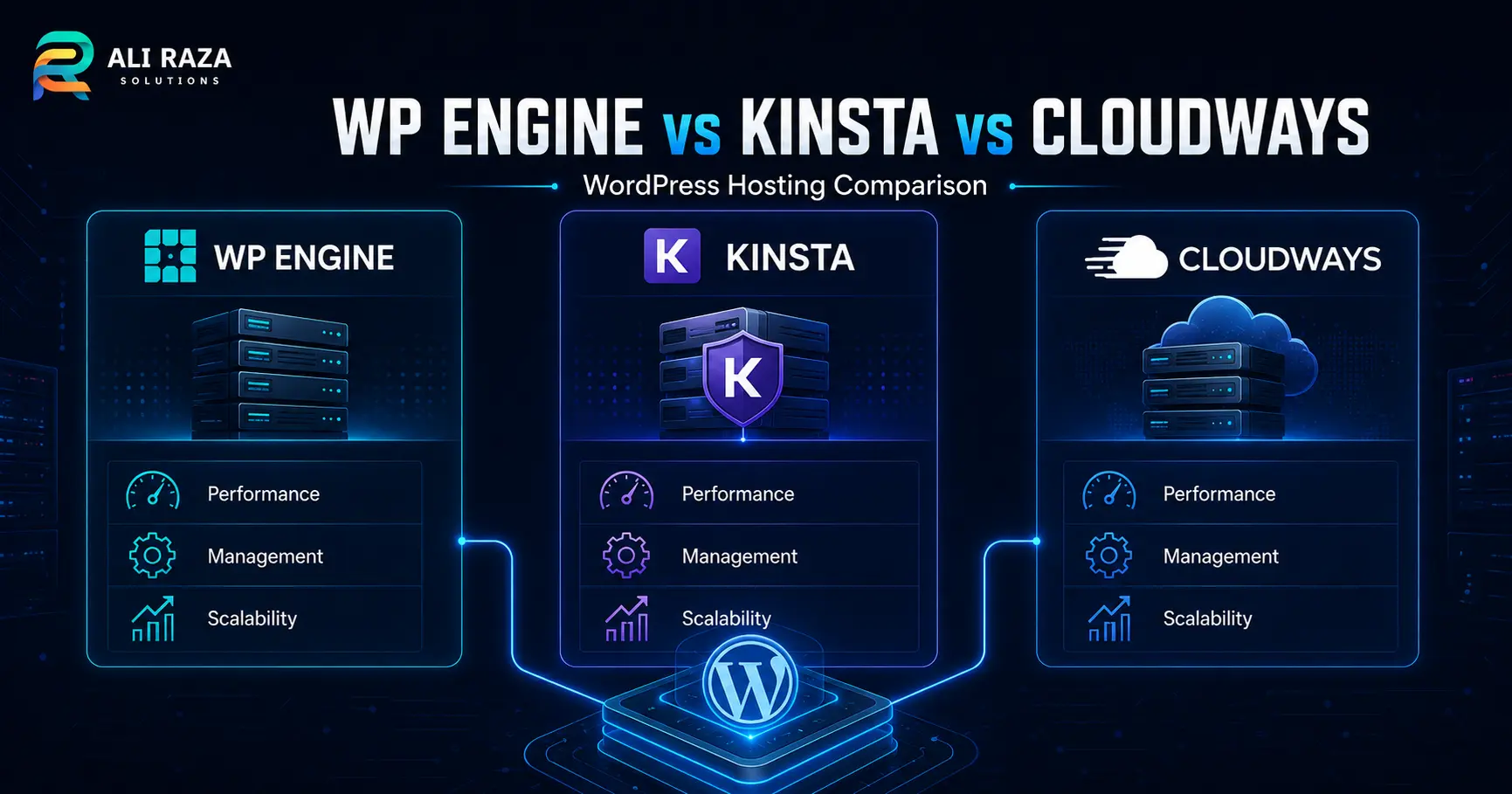
WP Engine vs Kinsta vs Cloudways is mainly a choice about how much infrastructure control, WordPress-specific tooling, and operational responsibility you want—not a universal contest with one winner for every website.
WP Engine and Kinsta emphasize managed WordPress workflows, while Cloudways combines managed platform tooling with more visible server and cloud-resource choices. In WP Engine vs Kinsta vs Cloudways, your best fit depends on workload, team skills, staging and deployment needs, scaling expectations, and how you prefer hosting costs to be structured.
WP Engine
Strong fit for teams that want a WordPress-focused managed workflow with separate production, staging, and development environments, backup checkpoints, and developer deployment options.
Kinsta
Strong fit for teams that value a streamlined WordPress dashboard, staging, built-in performance monitoring, edge caching, and SSH/SFTP access without managing a traditional server stack.
Cloudways
Strong fit when server resources, vertical scaling, staging, backups, and greater infrastructure choice matter more than an especially opinionated WordPress-only operating model.
Decision rule
Choose the operating model first. Then compare the exact plan limits, support scope, backup policy, regions, migration process, and checkout price for the workload you will actually run.
WP Engine vs Kinsta vs Cloudways at a Glance
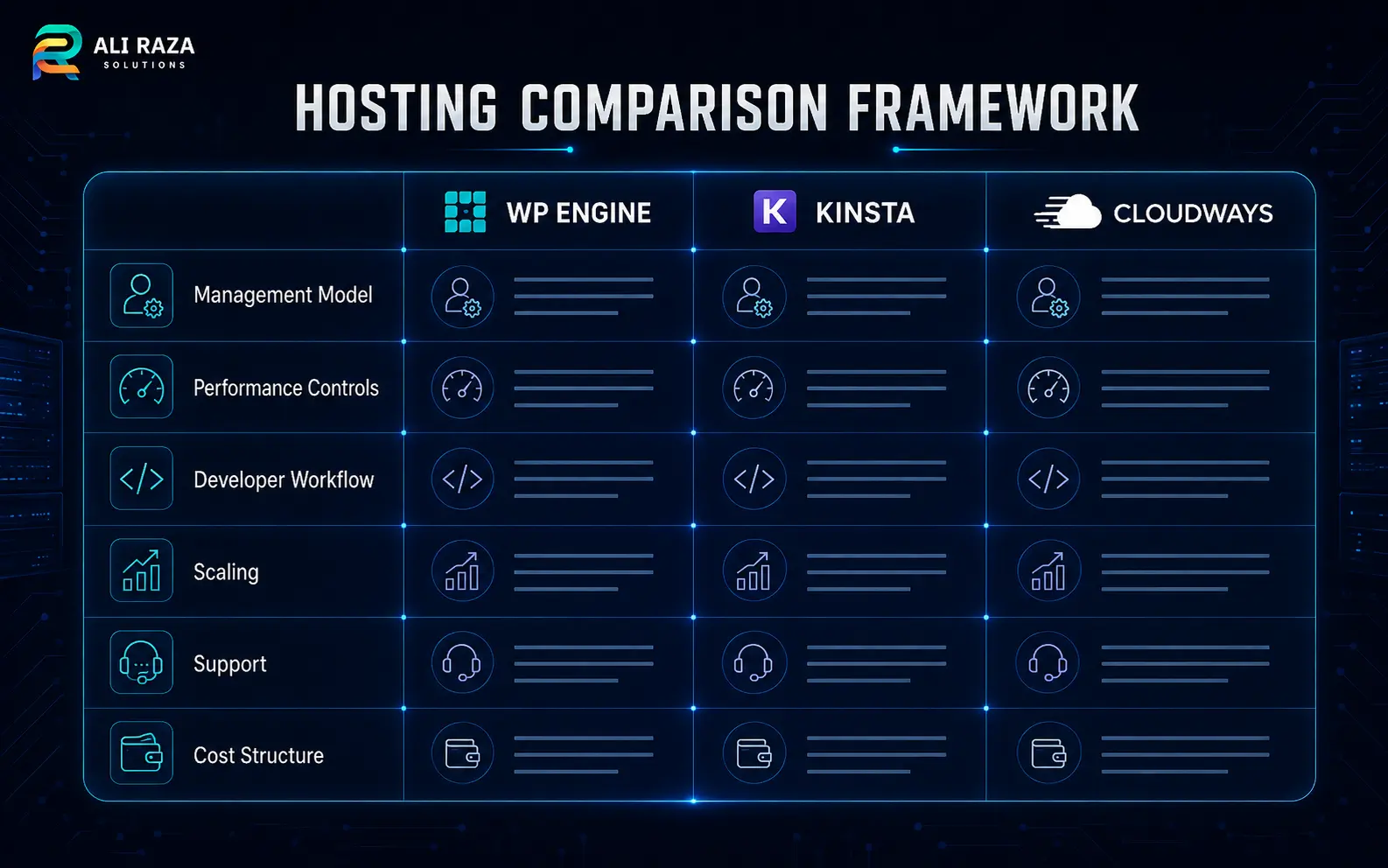
| Area | WP Engine | Kinsta | Cloudways |
|---|---|---|---|
| Operating model | Managed WordPress platform | Managed WordPress platform | Managed cloud platform with WordPress tooling |
| Staging | Production, Staging, and Development environments are supported | Each WordPress install can have a staging environment | Staging is available from the platform workflow |
| Backups | Automated and manual backup checkpoints | Managed WordPress backups with restore workflows | Server/application backup and restore controls |
| Developer access | SSH Gateway, Git/GitHub deployment options | SSH/SFTP plus staging and CI/CD-friendly workflows | SSH/SFTP, cloning, staging, server/application controls |
| Scaling approach | Move through platform capacity and plan options | Change hosting plan as requirements grow | Vertical server-resource scaling is a central control on Flexible |
| Cost model | Plan-based managed hosting | Plan-based managed hosting | Resource/server-oriented pay-as-you-go model on Flexible |
How to Compare WordPress Hosting Before You Pick a Provider
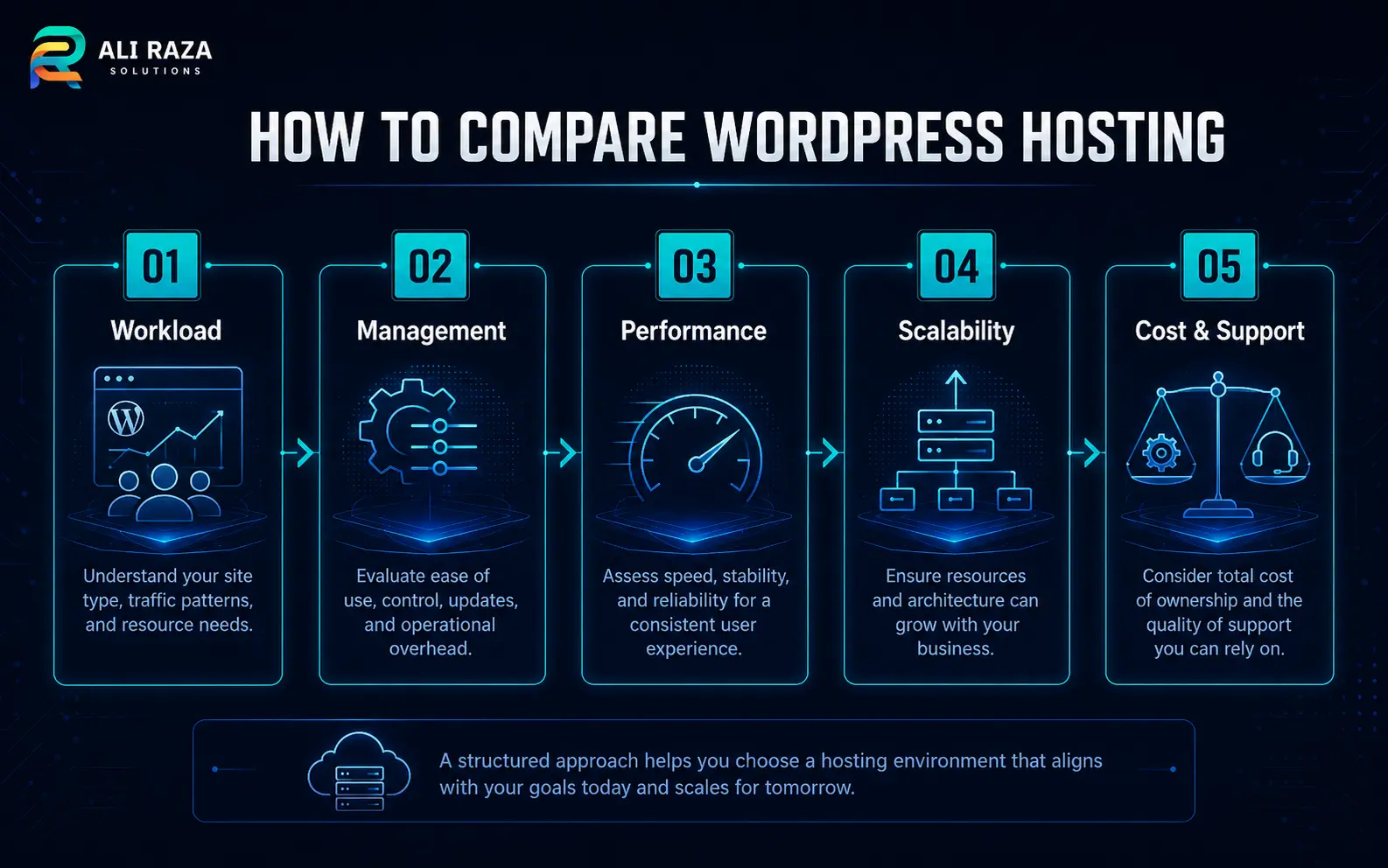
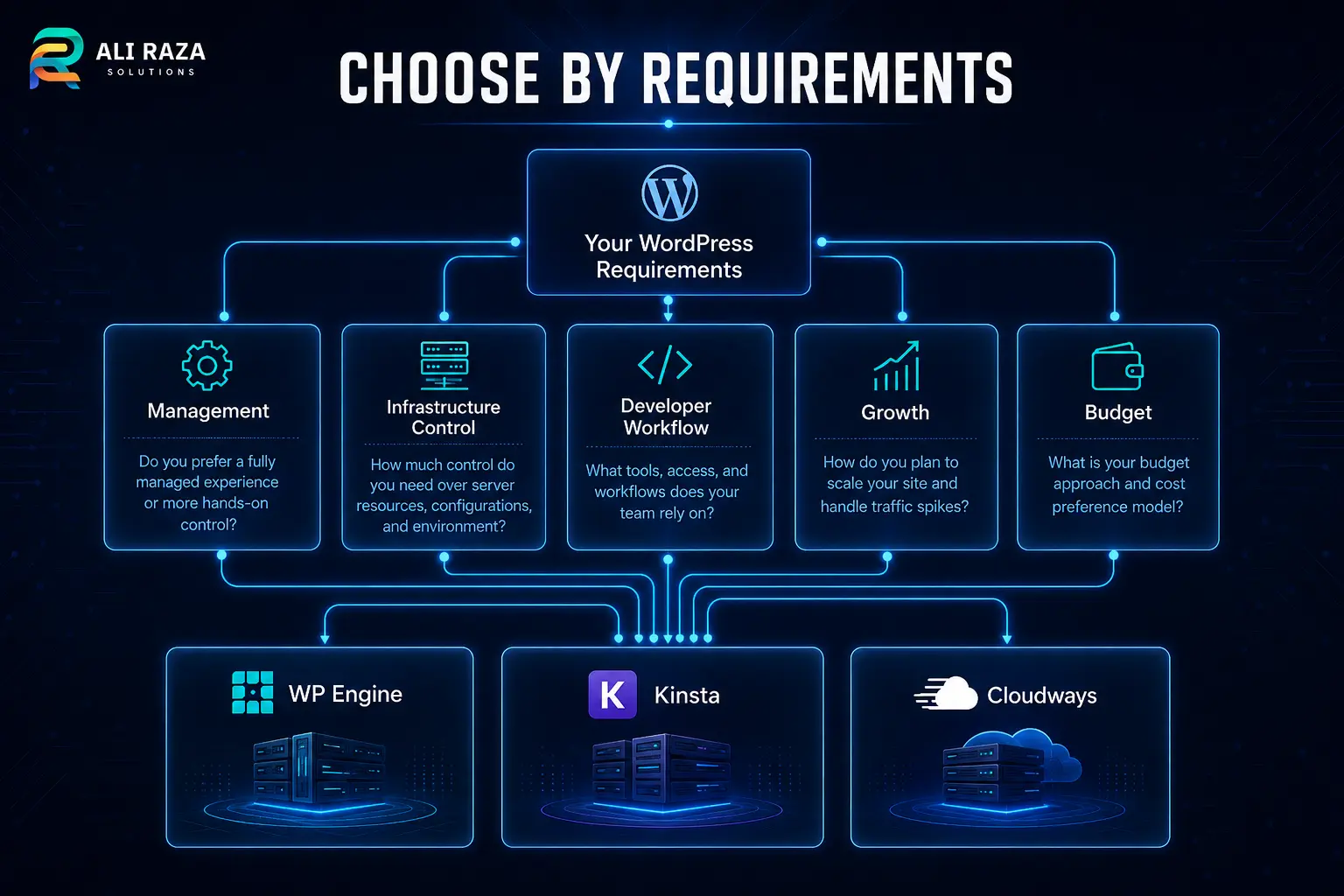
Start with your workload instead of a brand name. A brochure site, high-traffic publisher, WooCommerce store, membership platform, and agency portfolio can have very different requirements even when all use WordPress.
For a useful WP Engine vs Kinsta vs Cloudways evaluation, document five things: expected traffic and transaction load, who will manage the platform, the deployment workflow, growth or traffic-spike expectations, and your total monthly budget including add-ons and backup costs.
7 Critical Differences in WP Engine vs Kinsta vs Cloudways
Management model
WP Engine and Kinsta keep the experience tightly centered on managed WordPress. Cloudways exposes more server-level choices and resource controls, especially on its Flexible product.
Environment workflow
WP Engine formalizes production, staging, and development environments. Kinsta provides staging per WordPress install. Cloudways supports staging and cloning inside a broader server/application model.
Performance tooling
Kinsta includes its APM tooling and edge caching. WP Engine combines platform caching and performance services with WordPress management. Cloudways gives application and server controls around its optimized stack.
Scaling controls
Cloudways Flexible makes vertical scaling of CPU, RAM, and storage a visible server operation. WP Engine and Kinsta generally scale through managed platform capacity and plan changes.
Backups and recovery
All three provide backup workflows, but retention, storage, restore behavior, and charges can differ. Confirm the exact policy for the plan you intend to buy.
Billing structure
WP Engine and Kinsta sell packaged managed plans. Cloudways Flexible is more directly tied to chosen server resources and advertises pay-as-you-go pricing.
Operational responsibility
The more infrastructure choice you want, the more your team should understand resource sizing, application behavior, and deployment risk. A more opinionated managed platform can reduce those decisions.
Performance, Caching, and Observability
No responsible WP Engine vs Kinsta vs Cloudways comparison should declare a universal speed winner without testing the same site, region, cache state, traffic pattern, and plan class. Hosting performance is workload-specific.
Kinsta documents built-in edge caching and its APM tool for tracing PHP, database, and external-call bottlenecks. WP Engine documents managed WordPress features such as daily backups, staging, updates, and platform performance tooling. Cloudways provides an optimized WordPress stack plus server/resource controls and scaling.
Use the providers’ current documentation when validating a shortlist: WP Engine managed hosting plans, Kinsta WordPress hosting features, and Cloudways WordPress hosting.
Developer Workflow, Staging, and Deployment
Developer workflow can be more important than a small difference in headline price. In WP Engine vs Kinsta vs Cloudways, WP Engine supports separate Production, Staging, and Development environments and documents Git/GitHub deployment paths. Kinsta provides staging plus SSH/SFTP access and documents CI/CD patterns. Cloudways supports staging, cloning, SSH/SFTP, and application-level controls.
If your team ships custom themes, plugins, or frequent code changes, test the complete deployment path before migrating production. Ali Raza Solutions can help with WordPress development, staging strategy, and migration planning when the hosting decision is tied to a rebuild or technical cleanup.
Pricing: Compare Total Cost, Not Just the Entry Price
Pricing changes frequently, so this article does not freeze promotional prices into the recommendation. For WP Engine vs Kinsta vs Cloudways, compare the current checkout total for the capacity you need and include any backup, CDN, support, storage, overage, or add-on charges that apply to your configuration.
Kinsta and WP Engine use packaged managed-hosting plans. Cloudways Flexible uses server/resource-oriented pricing and advertises pay-as-you-go billing; Cloudways also documents separate off-site backup storage charges. Check the live Kinsta pricing page, WP Engine plans, and Cloudways pricing immediately before purchase.
Which Platform Should You Choose?
The best WP Engine vs Kinsta vs Cloudways choice depends on what you are trying to simplify. Use the following framework rather than treating any provider as automatically superior.
- Lean toward WP Engine when your team values a WordPress-specific managed platform, formal multi-environment workflow, backup checkpoints, and established developer deployment tools.
- Lean toward Kinsta when you want a managed WordPress experience with staging, integrated edge caching, built-in APM, and straightforward SSH/SFTP access.
- Lean toward Cloudways when you want more visible control over server resources, vertical scaling, and cloud infrastructure while retaining managed platform tools for WordPress.
These are fit signals, not performance rankings. A final WP Engine vs Kinsta vs Cloudways shortlist should confirm plugin restrictions, data-center availability, support channels, migration assistance, backup retention, resource limits, and billing terms for the exact plan.
Migration Checklist Before You Change WordPress Hosts
Once the WP Engine vs Kinsta vs Cloudways decision is made, treat migration as a controlled deployment rather than a simple file copy.
- Create and verify an independent backup of files and database.
- Build the destination site in staging and confirm PHP, WordPress, theme, and plugin compatibility.
- Test forms, transactional email, logins, search, scheduled jobs, redirects, and ecommerce flows where applicable.
- Measure representative uncached and cached pages before and after migration.
- Lower DNS TTL in advance when appropriate, then schedule the cutover during a low-risk window.
- Keep the old environment available until DNS propagation and business-critical testing are complete.
- Verify backups, monitoring, SSL, CDN/cache behavior, and administrator access after launch.
After a WP Engine vs Kinsta vs Cloudways migration, ongoing maintenance still matters. Review Ali Raza Solutions’ website maintenance services for updates, backups, security, and WordPress support.
Frequently Asked Questions About WP Engine, Kinsta, and Cloudways
These answers focus on platform fit rather than unsupported benchmark or “best host” claims.
Which is best in WP Engine vs Kinsta vs Cloudways?
There is no universal winner. WP Engine and Kinsta are strong managed WordPress choices with opinionated platform workflows, while Cloudways offers more visible server and resource control. The right choice depends on workload, team skills, deployment process, scaling needs, and budget.
Is Cloudways managed in the same way as WP Engine or Kinsta?
Cloudways is a managed cloud platform, but its operating model exposes more server and resource choices than a typical WordPress-only managed platform. That can be useful for technical teams, but it also means you should understand the responsibilities attached to the configuration you select.
Which is fastest in WP Engine vs Kinsta vs Cloudways?
A fair answer requires workload-specific testing. Theme and plugin code, database queries, cacheability, visitor geography, CDN behavior, origin resources, and the selected hosting tier can all affect results, so a single generic benchmark should not determine the decision.
Which platform is better for WordPress developers?
All three provide developer-oriented access and staging workflows. WP Engine documents multi-environment and Git/GitHub deployment options, Kinsta provides staging plus SSH/SFTP and CI/CD guidance, and Cloudways combines staging and SSH/SFTP with broader server/application controls.
Should I choose hosting based on the lowest monthly price?
No. Compare the complete operating cost for your site, including required capacity, backup and storage policies, add-ons, support scope, migration effort, developer time, and possible overage charges. Promotional entry pricing can change.
What should I verify before migrating?
Verify plan limits, data-center options, plugin compatibility, backup retention, staging behavior, support channels, DNS cutover steps, SSL, email delivery, forms, scheduled jobs, redirects, and ecommerce or membership workflows that are critical to the business.
About Ali Raza Solutions
Ali Raza Solutions provides WordPress development, website maintenance, SEO, and digital services for businesses in the United States, United Kingdom, and international markets.
Hosting features, plan limits, promotions, support scope, and prices can change. Verify the current provider documentation and checkout terms before purchasing or migrating.